
Tag documents and incoming mail on your mobile device
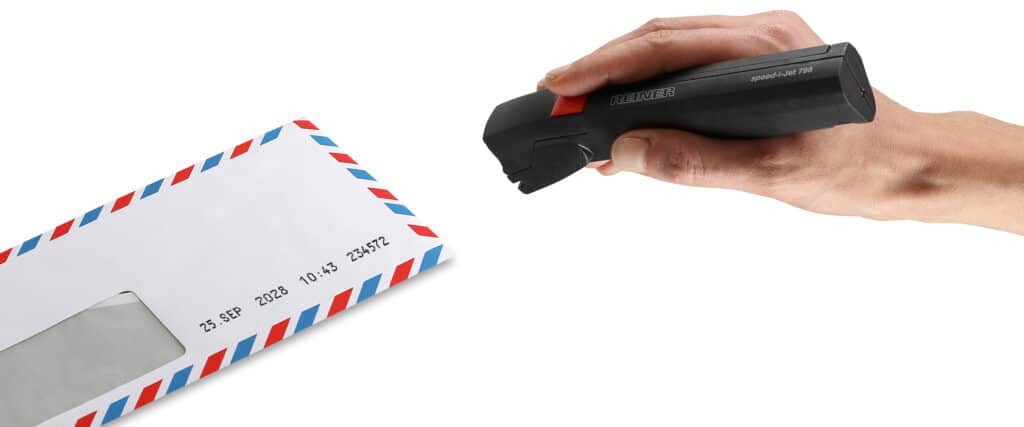
Print letters, forms, and incoming documents directly with the date, time, text, or barcode—flexibly, with permanent printing, and without additional labels.
With REINER mobile marking devices, you can apply the date of receipt, time, custom notes, and machine-readable codes directly to paper. This allows you to create traditional receipt stamps, department markings, and digital identification features all with a single device. Separate labels, divider sheets, or multiple individual stamps are no longer needed.
Requirements for the Mailroom and Administration
Overview of Requirements
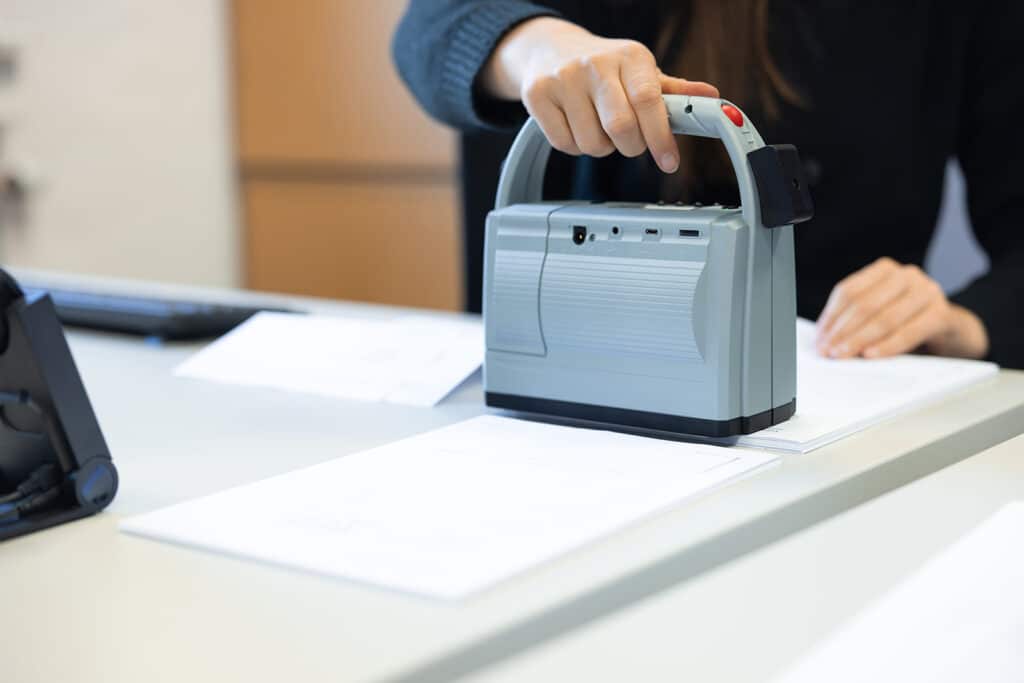
Incoming letters, forms, and documents must be clearly marked immediately upon receipt. It is important that all information be clearly legible, permanent, and usable for subsequent processing steps. Mobile direct-printing devices enable uniform labeling directly on the document. In addition to the date and time, processing notes, department information, or barcodes can also be included in the printout.
Typical requirements
- Reliably Record the Time of Receipt and Processing
- Assign documents to a department or responsible person
- Add 1D or 2D codes for downstream systems
- Produce document-quality prints
- Support transparent and audit-compliant processes
Typical challenges
- Mechanical stamps can only be adapted to changing content to a limited extent
- Labels and dividers must be prepared, stored, and properly assigned
- Stickers and extra paper increase material usage
- Labels can make filing and archiving more comprehensive
Examples of Mobile Document Tagging
Use cases from practice

Receipt Note
For unambiguous assignment in downstream processes

Receipt stamps on papers, letters and envelopes
Digital inbox stamp for clean processes
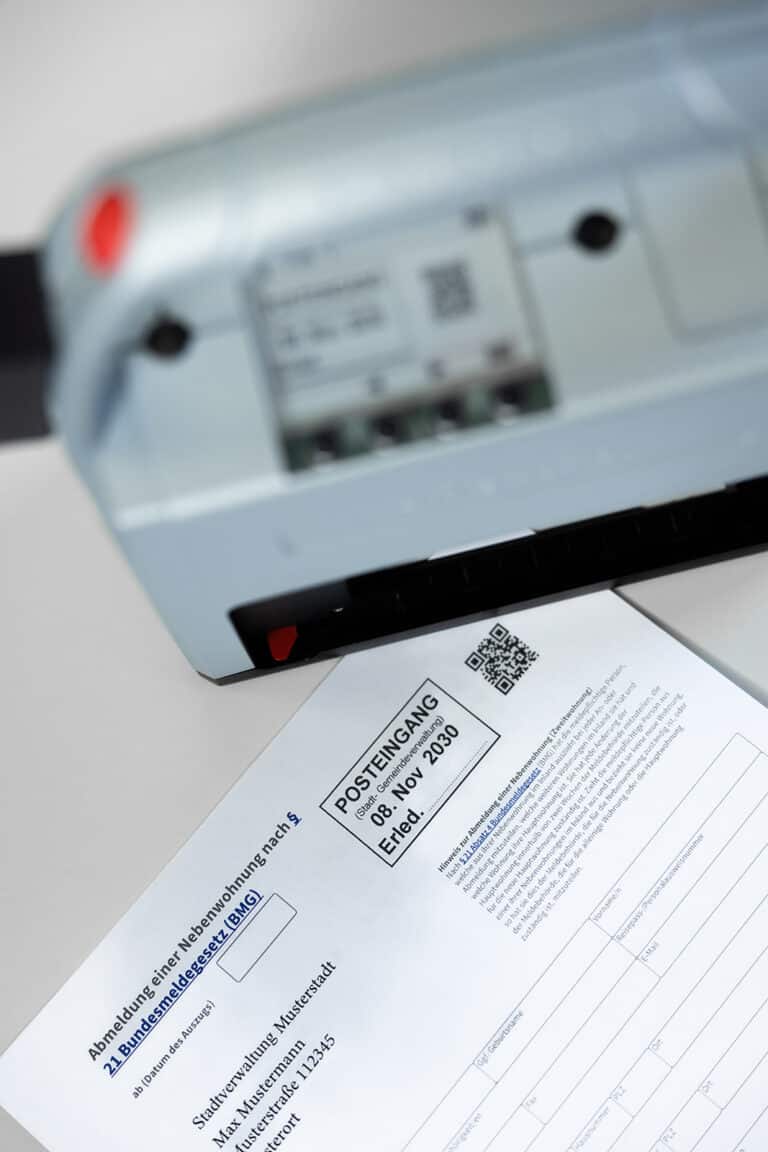
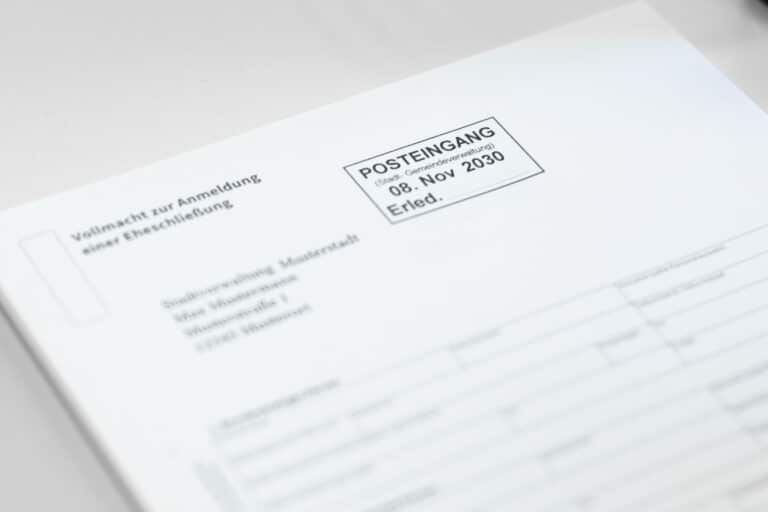
Directly on the document, rather than using additional tools
A Comparison of Direct Printing Methods
With mobile direct printing, all necessary information is printed directly onto the paper. This eliminates many of the steps required when using mechanical stamps, labels, and divider sheets. The date and time are provided electronically. Different print templates can be saved and selected based on the document, department, or specific use case.
Process to Date
REINER Mobile Direct Printing
Several stamps for different information
Date, time, text, and barcode in a single device
Prepare labels or divider sheets
Saved print images are available centrally
additional use of stickers and backing material
only ink as a consumable
predefined stamp texts
Flexibly select and customize content
Features for Everyday Document Use
For reliable print results
Additional features:
- 1D and 2D barcodes
- Certified document-proof ink
- Support for processes in accordance with BSI TR-03138 RESISCAN
- Darkscan feature for automatic forwarding
Practical example
From the field
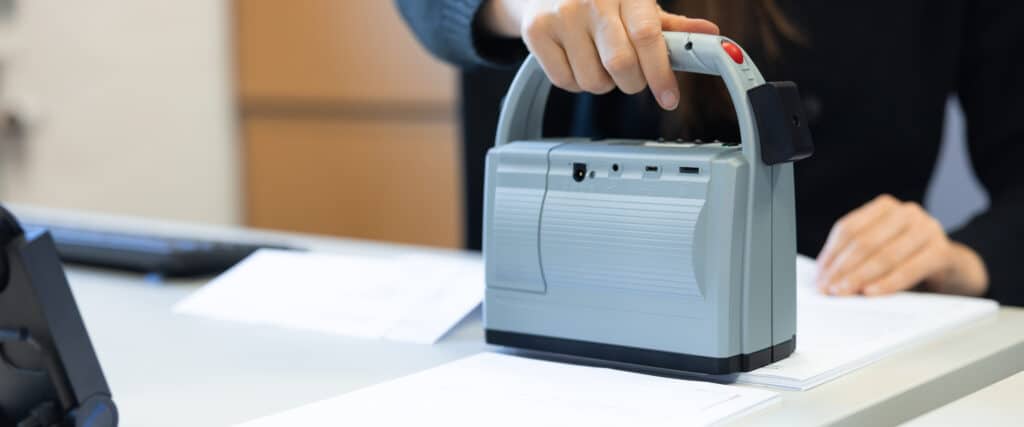
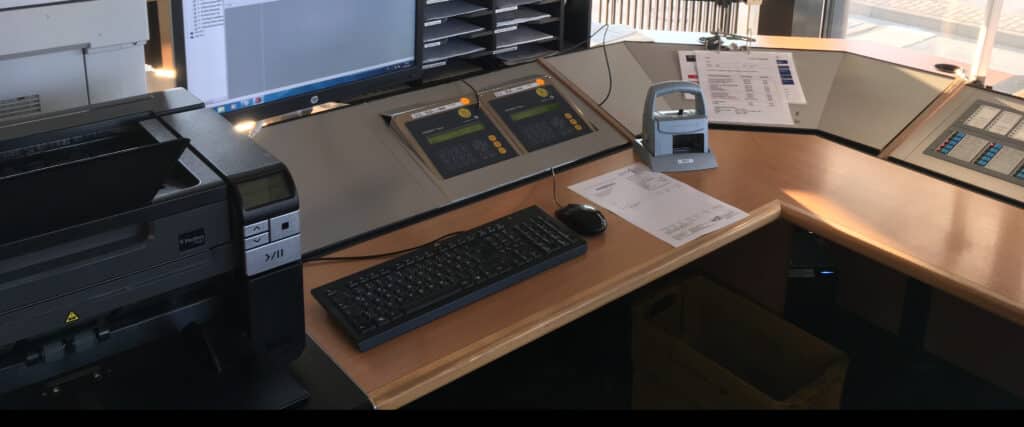
The city of Lüneburg processes a large number of incoming documents via traditional mail every day. The aim was to make incoming mail more efficient with the help of the jetStamp® 1025 and to clearly assign it to the right departments.
Result:
- Merging several work steps into one printing process
- Reduction of manual sorting and preparation work
- Automatic digital assignment of documents
- Less effort in the scanning and filing process
- No more labels or dividers required

Labeling in practice
Success in the Field
December 18, 2025 |
Direct Printing from the SAP System
Case Study
January 7, 2026 |
Clear document labeling in everyday office life
Case Study
April 20, 2026 |
Clear assignment of documents and goods at the gate
Case Study

April 30, 2026 |
Entry stamp with digitized data
Case Study
Frequently asked questions
FAQ
Is there a modern alternative to the classic date and receipt stamp?
Yes, a mobile direct printing system completely replaces mechanical stamps. The date, time and other details are generated automatically and printed directly onto the document - cleanly, legibly and without manual adjustment.
Can mobile direct printing completely replace a classic inbound stamp?
Yes, mobile direct printing can completely replace conventional date and receipt stamps.
Instead of mechanical stamps, the imprint is printed directly onto the document - clearly legible, consistently precise and without manual adjustment of the date or text.
This prevents misalignments, blurred stamps or forgotten date adjustments.
This ensures greater efficiency and traceability, particularly in the inbox of authorities, administrations and public institutions.
Can the date and time be printed automatically in the inbox?
Yes, the date and time are generated automatically and do not need to be set manually.
Can also be integrated:
- File number
- Processing numbers
- Department labels
- Consecutive numbers
This increases process reliability in incoming mail and reduces sources of error.
Is the print on documents smudge-proof and permanently legible?
Yes, with the appropriate document-proof ink (certified), the imprint is permanently legible on paper and suitable for official documents.
Can I save multiple stamp templates for different departments?
Yes, various stamp templates can be saved and flexibly selected via the integrated display on the device.
For example:
- inbox
- Building authority
- Comptroller's office
- Public order office
- Personnel department
This means that the device can be used centrally and saves several individual stamps.
Is the device suitable for daily use in the inbox?
Yes, the device is designed for regular use in office and administrative environments.
It works:
- clean
- low noise
- precise
- Without ink ribbon or ink pad
This makes it ideal for permanent use in incoming mail or in administrative offices.
Can direct printing be easily integrated into existing incoming mail processes?
Yes, mobile direct printing does not require any complex installation.
He can:
- can be used directly at the workplace
- Switch flexibly between departments
- can be used without IT integration
This means that direct printing can be integrated into existing workflows without having to change processes.
Is the imprint document-proof and suitable for authorities?
Yes, we offer certified document-proof marking. The imprint fulfills defined test criteria in terms of durability and legibility and is suitable for official documents such as:
- Inbox stamp
- Notices
- Administrative files
- Archive documents
We would be happy to advise you on which combination is certified for your requirements.
Is the print permanently legible and suitable for archiving?
The shelf life depends on the type of paper, ink and storage conditions.
We offer certified document-proof ink solutions for administrative applications.
We will be happy to check your specific archive requirements individually.
Can direct printing simplify existing administrative processes?
Yes, direct printing saves money:
- Manual setting of stamp data
- Reordering classic stamps
- illegible or smudged imprints
This makes processes clearer, faster and more comprehensible.
How can local authorities label documents and records in a legally compliant manner?
With mobile direct printing, files, notices, forms or administrative documents can be marked permanently and legibly - without traditional stamps or labels.
Depending on the choice of device and ink, certified document-proof marking is possible.
This creates security in internal documentation and archiving.
Is direct printing suitable for sensitive administrative areas?
Yes, the system works locally and can be used without a cloud connection.
This is a decisive advantage, especially for authorities with high data protection requirements.
The imprint is made directly on the document - traceable and without external data processing.
Is the solution suitable for different offices and departments?
Yes, several templates can be saved and used flexibly.
This means that one device can be used centrally - for example for:
- Citizens' office
- Building administration
- Comptroller's office
- Personnel department
- Public order office
This reduces the number of individual stamps and simplifies internal processes.
What does document-proof mean?
Document-proof markings are permanently legible, smudge-proof and cannot be changed without leaving visible residue. They therefore meet important requirements for traceability and product safety.
Is there a modern alternative to the classic date and receipt stamp?
Yes, a mobile direct printing system completely replaces mechanical stamps. The date, time and other details are generated automatically and printed directly onto the document - cleanly, legibly and without manual adjustment.
Can mobile direct printing completely replace a classic inbound stamp?
Yes, mobile direct printing can completely replace conventional date and receipt stamps.
Instead of mechanical stamps, the imprint is printed directly onto the document - clearly legible, consistently precise and without manual adjustment of the date or text.
This prevents misalignments, blurred stamps or forgotten date adjustments.
This ensures greater efficiency and traceability, particularly in the inbox of authorities, administrations and public institutions.
Can the date and time be printed automatically in the inbox?
Yes, the date and time are generated automatically and do not need to be set manually.
Can also be integrated:
- File number
- Processing numbers
- Department labels
- Consecutive numbers
This increases process reliability in incoming mail and reduces sources of error.
Is the print on documents smudge-proof and permanently legible?
Yes, with the appropriate document-proof ink (certified), the imprint is permanently legible on paper and suitable for official documents.
Can I save multiple stamp templates for different departments?
Yes, various stamp templates can be saved and flexibly selected via the integrated display on the device.
For example:
- inbox
- Building authority
- Comptroller's office
- Public order office
- Personnel department
This means that the device can be used centrally and saves several individual stamps.
Is the device suitable for daily use in the inbox?
Yes, the device is designed for regular use in office and administrative environments.
It works:
- clean
- low noise
- precise
- Without ink ribbon or ink pad
This makes it ideal for permanent use in incoming mail or in administrative offices.
Can direct printing be easily integrated into existing incoming mail processes?
Yes, mobile direct printing does not require any complex installation.
He can:
- can be used directly at the workplace
- Switch flexibly between departments
- can be used without IT integration
This means that direct printing can be integrated into existing workflows without having to change processes.
Is the imprint document-proof and suitable for authorities?
Yes, we offer certified document-proof marking. The imprint fulfills defined test criteria in terms of durability and legibility and is suitable for official documents such as:
- Inbox stamp
- Notices
- Administrative files
- Archive documents
We would be happy to advise you on which combination is certified for your requirements.
Is the print permanently legible and suitable for archiving?
The shelf life depends on the type of paper, ink and storage conditions.
We offer certified document-proof ink solutions for administrative applications.
We will be happy to check your specific archive requirements individually.
Can direct printing simplify existing administrative processes?
Yes, direct printing saves money:
- Manual setting of stamp data
- Reordering classic stamps
- illegible or smudged imprints
This makes processes clearer, faster and more comprehensible.
How can local authorities label documents and records in a legally compliant manner?
With mobile direct printing, files, notices, forms or administrative documents can be marked permanently and legibly - without traditional stamps or labels.
Depending on the choice of device and ink, certified document-proof marking is possible.
This creates security in internal documentation and archiving.
Is direct printing suitable for sensitive administrative areas?
Yes, the system works locally and can be used without a cloud connection.
This is a decisive advantage, especially for authorities with high data protection requirements.
The imprint is made directly on the document - traceable and without external data processing.
Is the solution suitable for different offices and departments?
Yes, several templates can be saved and used flexibly.
This means that one device can be used centrally - for example for:
- Citizens' office
- Building administration
- Comptroller's office
- Personnel department
- Public order office
This reduces the number of individual stamps and simplifies internal processes.
What does document-proof mean?
Document-proof markings are permanently legible, smudge-proof and cannot be changed without leaving visible residue. They therefore meet important requirements for traceability and product safety.
{acf_application_cta_h2_heading}
{acf_application_cta_text}
Suitable materials for this application
Suitable Surfaces
Different materials are suitable depending on the surface and the ink used.
 German
  English
  French
  Spanish