


 German
  English
  French
  Spanish


The speed-i-Jet 798 has a clear, intuitive display that guides users safely through all functions. Print images and settings can be selected and adjusted directly on the device. Variable content such as date, time or consecutive numbering can be flexibly integrated. The PC software is available for creating and managing print layouts - for clean print results and a smooth process in daily use.
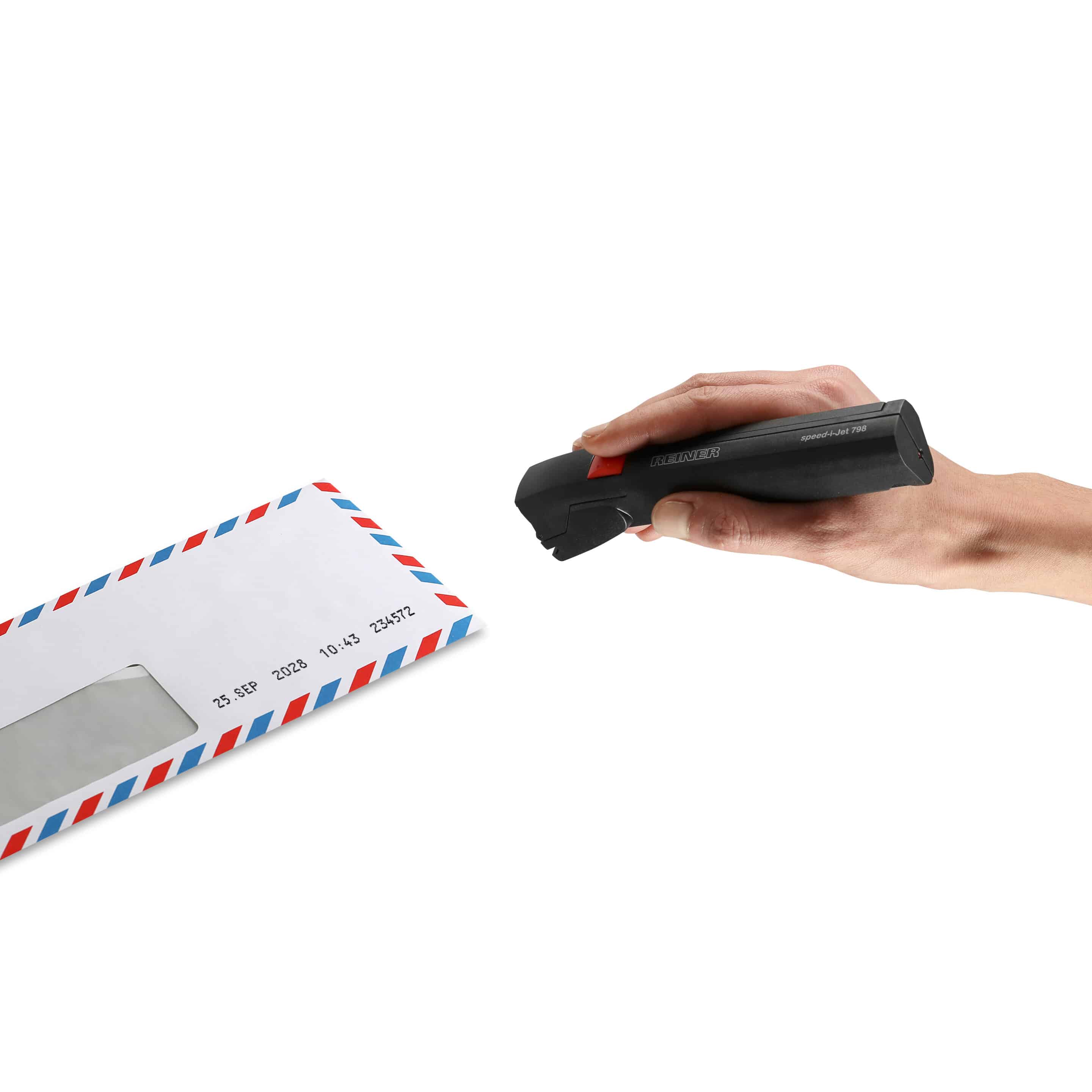

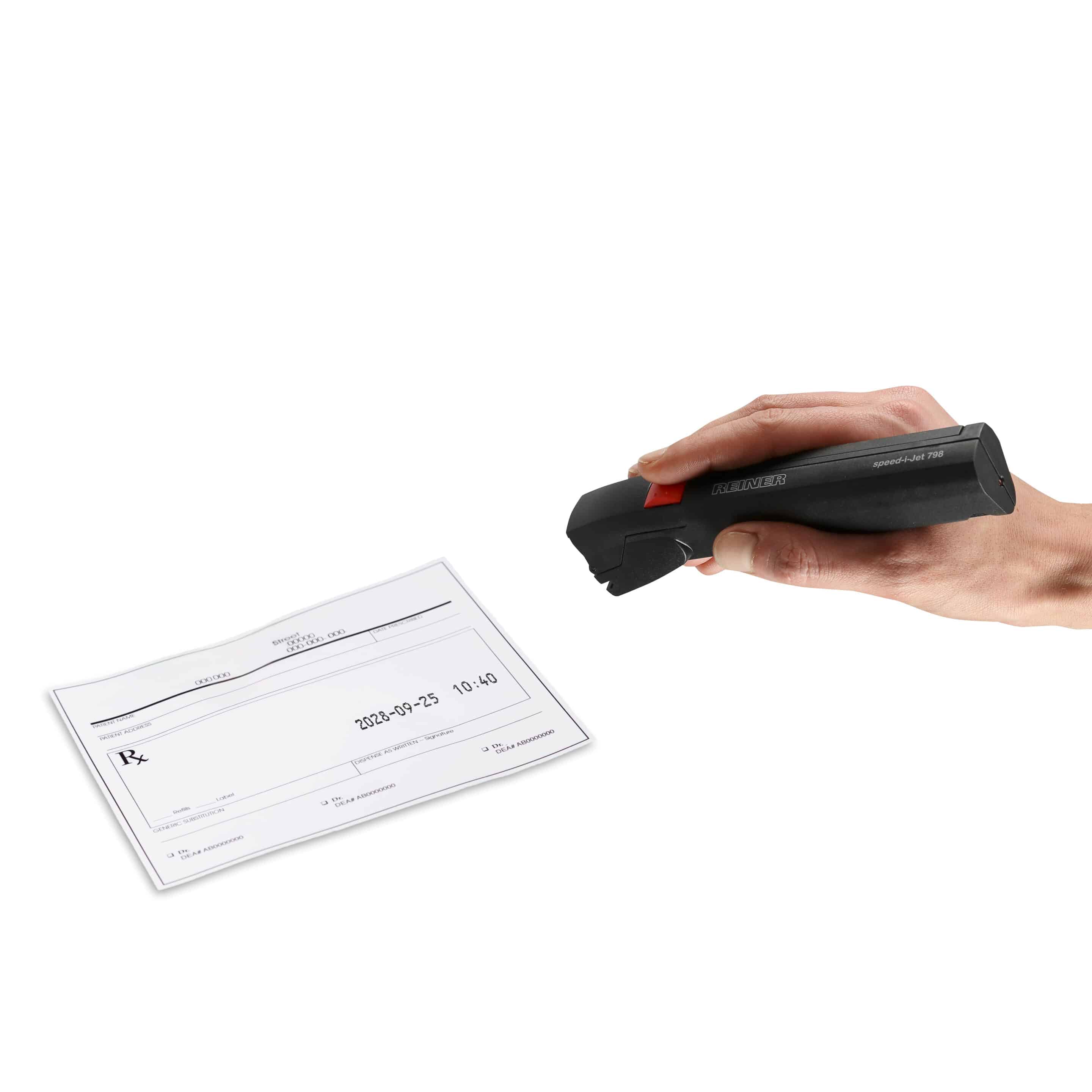
speed-i-Jet 798
The pen for easy marking
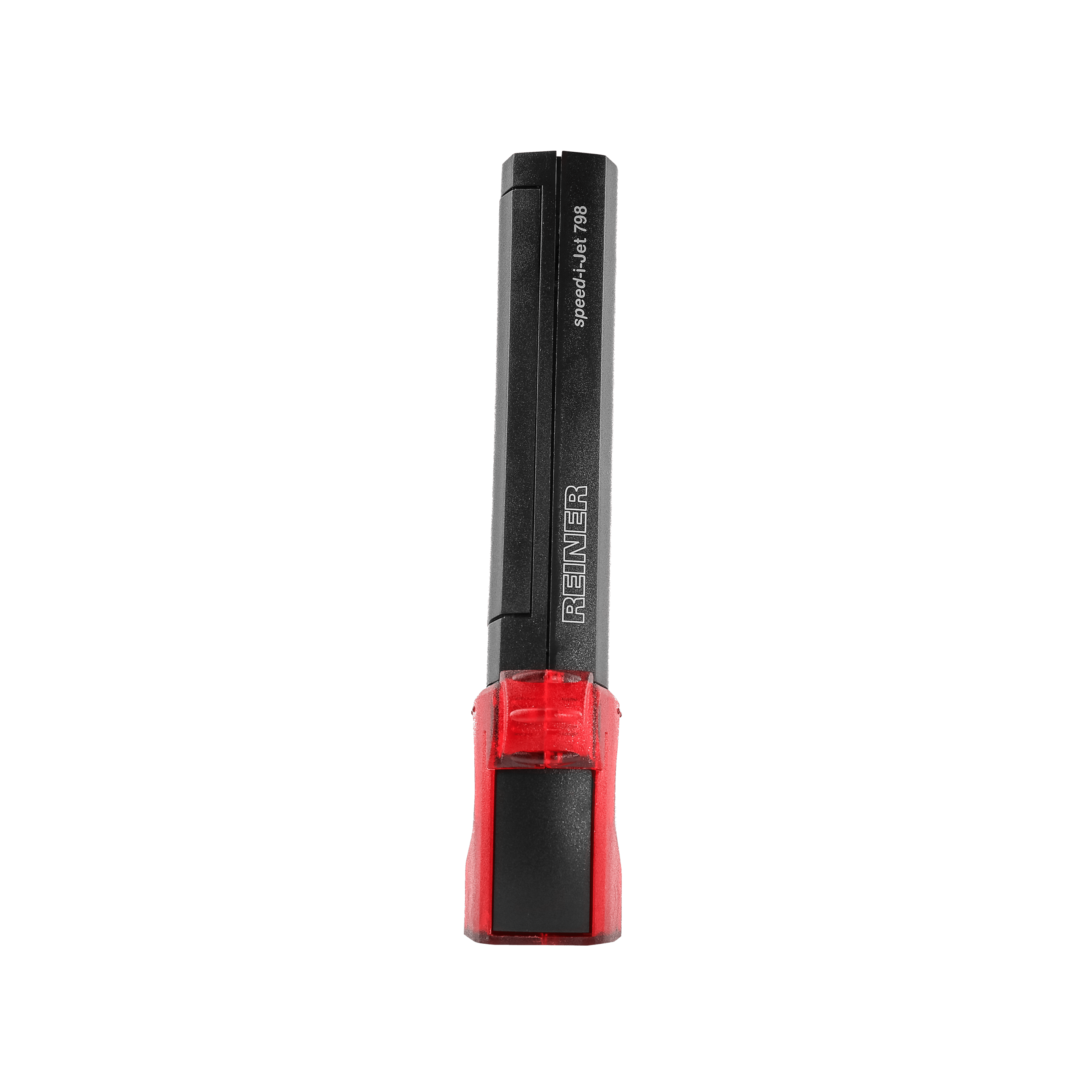
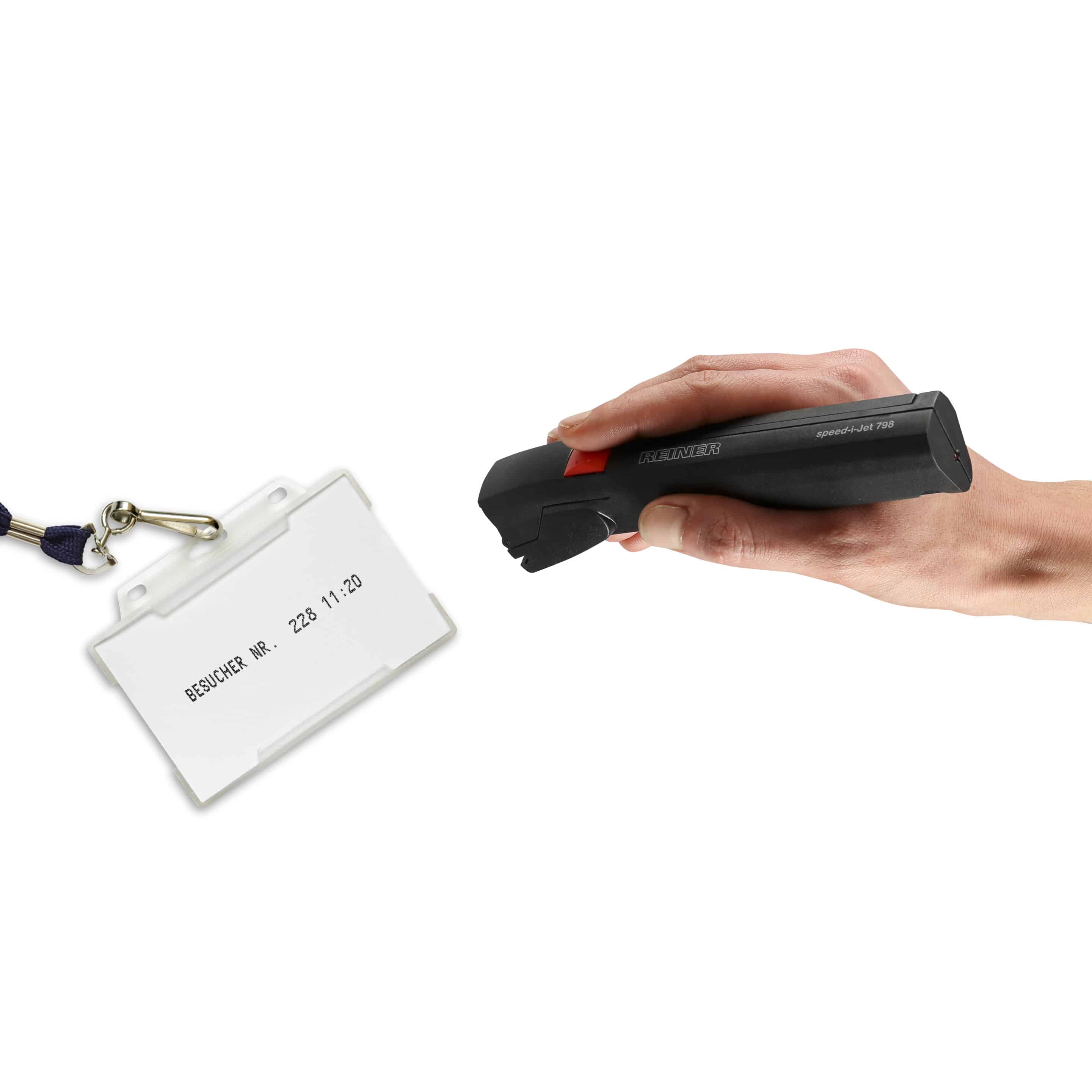
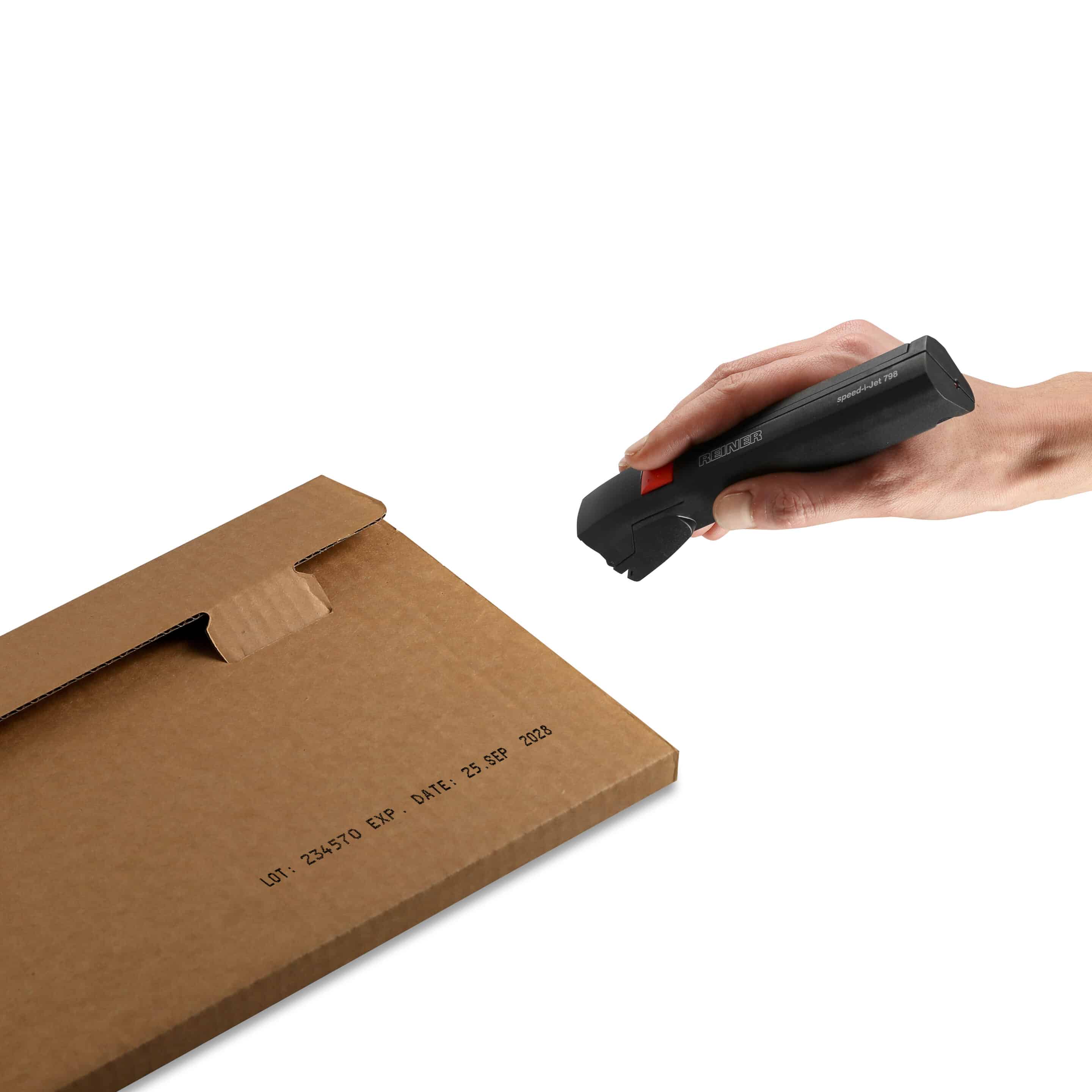
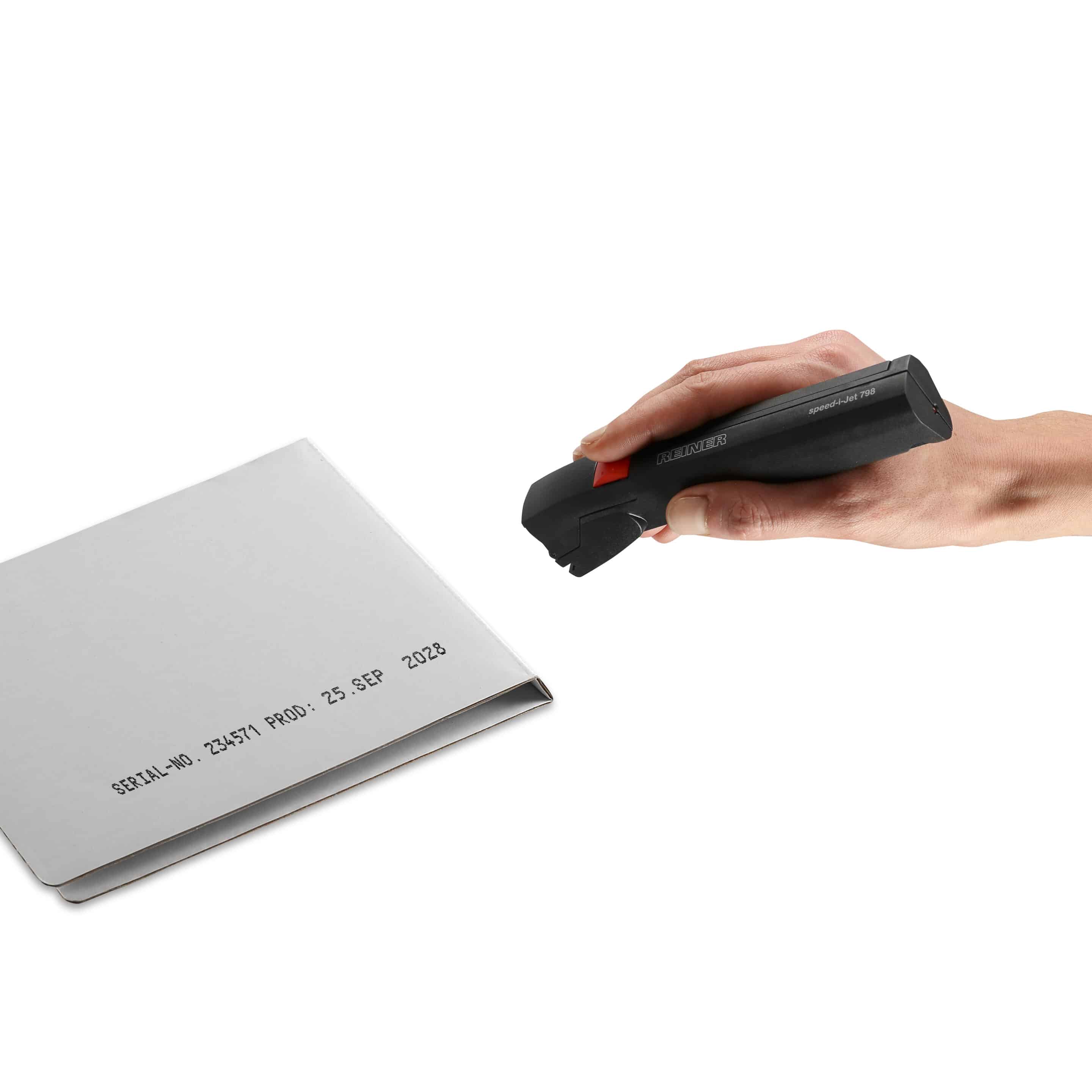
The REINER® speed-i-Jet 798 is a compact mobile printer for text, date, time and consecutive numbering. The print image is created on the PC, transferred via USB and applied directly by hand.
Thanks to its pocket size, simple operation and flexible use, the speed-i-Jet 798 is particularly suitable for mobile marking on absorbent and uneven surfaces.
Technical highlights
Format
Handy pocket size
Use
100 % mobile
Print performance
Up to 40 characters, single line
Operation
Simple coating & printing
ergonomics
Suitable for right- & left-handers
Test marks & standards

UKCA labeling
CE certification
Pocket size
Fits in work clothes and tool bag.
100 % mobile
Marking directly at the place of use.
Ideal for paper
Perfect for documents, lists and forms.
Short texts
Prints date, time, numbers and short texts.
For left & right-handers
Comfortable operation with both hands.
Your advantages in everyday production
Key Features
It's that simple
speed-i-Jet 798 in use
From digital design to clean imprint in just a few simple steps: the application is intuitive, quick to set up and ready for immediate use - ideal for flexible marking on a wide variety of surfaces.
The speed-i-Jet 798 offers a range of unique features that we will be happy to advise you on personally. Find out more about the comprehensive Reiner service package - you are never alone with us.
1
Create print image with PCSet
2
Printing at the touch of a button
3
Order by hand movement
Application examples
speed-i-Jet 798 in use
The application examples show how versatile labeling can be in everyday working life. Different content can be applied flexibly - clearly legible, neatly positioned and suitable for the respective application.
The speed-i-Jet 798 offers a range of unique features that we will be happy to advise you on personally. Find out more about the comprehensive Reiner service package - you are never alone with us.
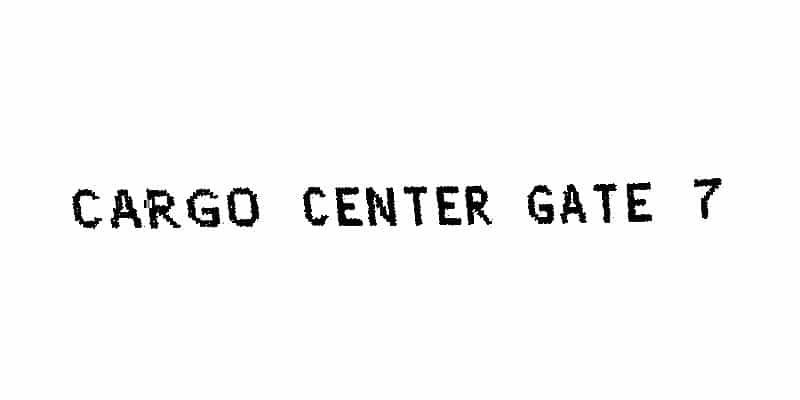
texts
Clear text labels directly on paper, cardboard or plastic - e.g. notes, designations or brief information. Simple, fast and without a label.
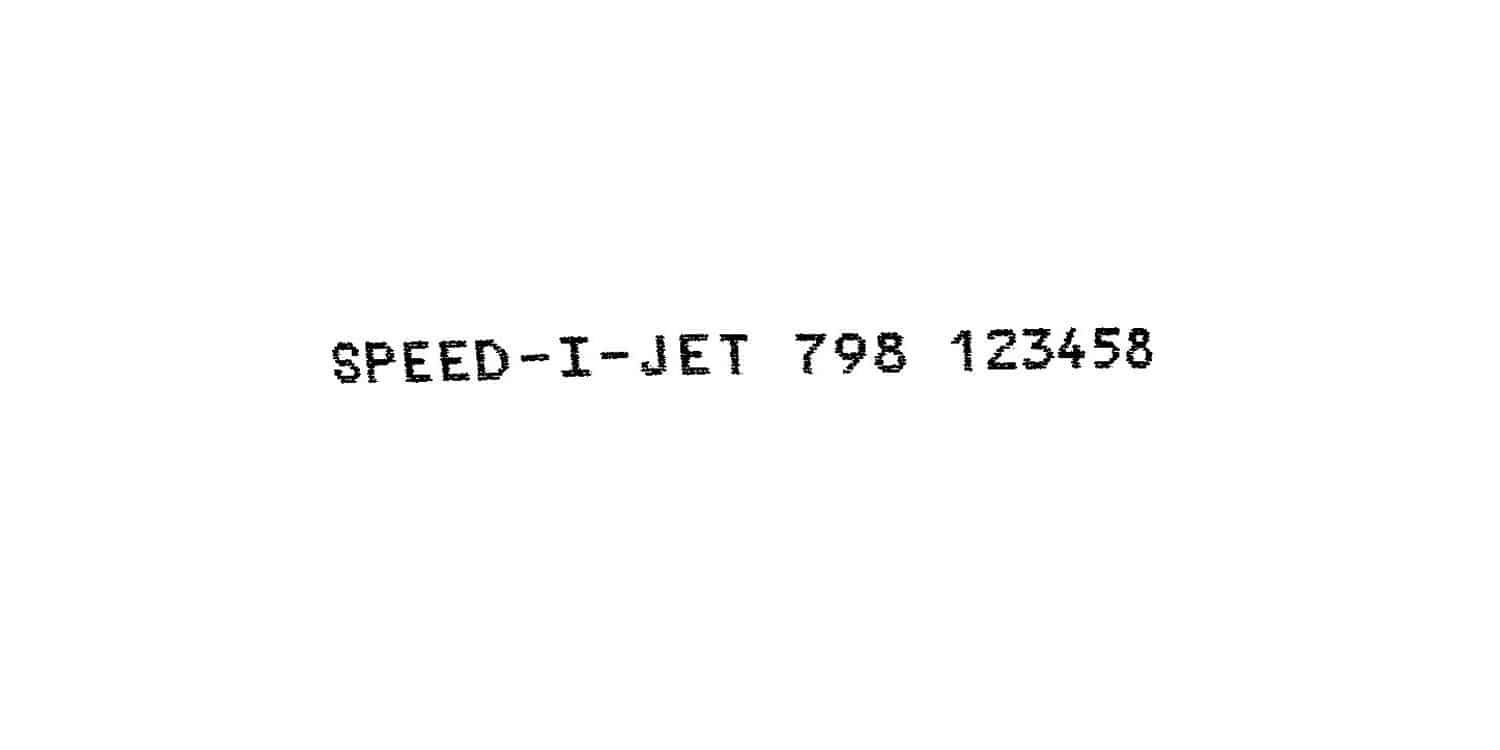
numbers
Directly print fixed or consecutive numbers - ideal for internal labeling, assignments or simple identification.
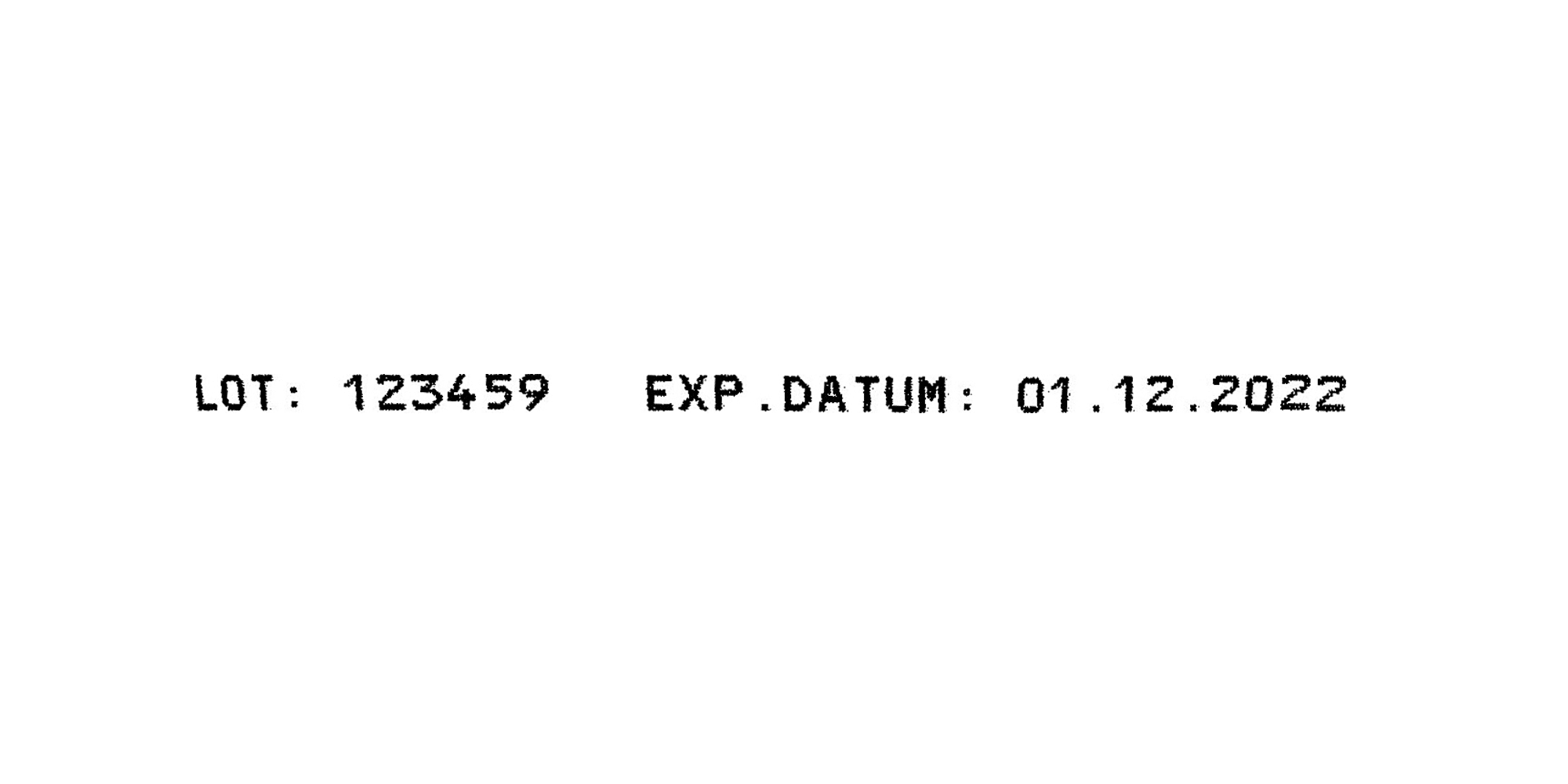
date
Manual application of date information such as production or receipt date - clean, easy to read and ready for immediate use.
Suitable for many materials
speed-i-Jet 798 in use
The speed-i-Jet 798 offers a range of unique features that we will be happy to advise you on personally. Find out more about the comprehensive Reiner service package - you are never alone with us.
Technical specifications
speed-i-Jet 798 in use
| imprint | Numbers, date, time, text |
|---|---|
| Prints | PCset |
| Dimensions (L x W x H) | 175 x 30 x 45 mm |
| Weight | approx. 125 g |
| Character set | 40 characters, single line |
| Digit height | 3.2 mm |
| data transmission | USB |
| Storable print images | 1 |
| printing technology | inkjet |
| Ink color | black |
Case Studies
From the field
Simple, fast and ready for immediate use: With just a few simple steps, you can place individual labels exactly where they are needed - flexibly, cleanly and without time-consuming preparation.
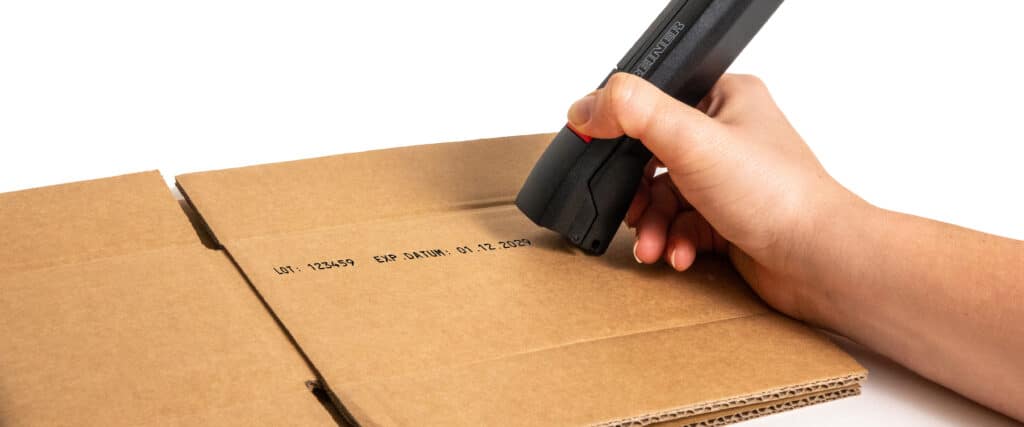
Fast labeling in shipping
Customer A company from Nuremberg sends several hundred parcels with spare parts and accessories every day. Challenge The...
Learn more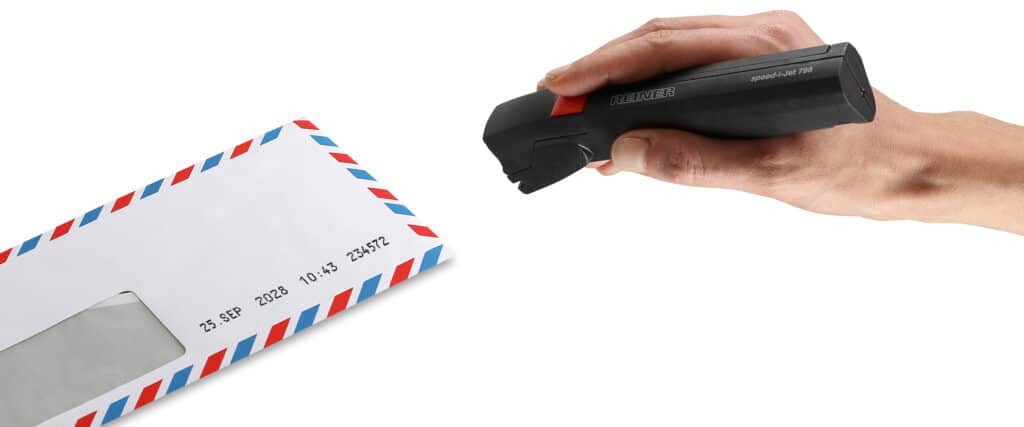
Clear document labeling in everyday office life
Customer A medium-sized service company processes a large number of documents on a daily basis - from delivery bills and invoices to...
Learn moreService and downloads
Everything you need
Frequently asked questions
FAQ
What is the speed-i-Jet 798 used for?
The speed-i-Jet 798 is designed for document marking such as incoming mail, date, texts or individual stamp impressions.
Is the speed-i-Jet 798 suitable for industrial product marking?
No. The device is primarily designed for documents and paper surfaces.
How does printing with the speed-i-Jet 798 work?
The speed-i-Jet 798 is switched off during the printing process. manually guided over the surface. This movement applies the printed image. Even guidance is crucial for a clean print result.
📌 Difference to other jetStamp devices: Printing is not done by pressing a button at one point.
What content can I print with the speed-i-Jet 798?
The speed-i-Jet 798 can be used to print the following contents, among others:
- texts
- numbers
- Dates
- time
The content is created digitally and then transferred to the device.
How do I change the print cartridge in the speed-i-Jet 798?
To change the print cartridge, first remove the protective cap and open the print head flap. Then remove the cartridge and insert the new print cartridge.
Detailed step-by-step instructions can be found in the operating instructions.
How do I transfer print images to the speed-i-Jet 798?
The print images are created with the supplied software PCset and then transferred to the speed-i-Jet 798.
Further information can be found in the operating instructions at „Transfer print image“.
Can I create the print image for the speed-i-Jet 798 myself?
Yes, with the supplied software PC set graphic you can create and customize your print images yourself.
Instructions can be found in the operating instructions in the section „Create print image“.
My speed-i-Jet 798 is not working - what can I do?
If the speed-i-Jet 798 does not work, there may be several reasons for this. Information on error analysis and rectification can be found in the operating instructions in the chapter „Recognizing and eliminating faults“.
What is the speed-i-Jet 798 used for?
The speed-i-Jet 798 is designed for document marking such as incoming mail, date, texts or individual stamp impressions.
Is the speed-i-Jet 798 suitable for industrial product marking?
No. The device is primarily designed for documents and paper surfaces.
How does printing with the speed-i-Jet 798 work?
The speed-i-Jet 798 is switched off during the printing process. manually guided over the surface. This movement applies the printed image. Even guidance is crucial for a clean print result.
📌 Difference to other jetStamp devices: Printing is not done by pressing a button at one point.
What content can I print with the speed-i-Jet 798?
The speed-i-Jet 798 can be used to print the following contents, among others:
- texts
- numbers
- Dates
- time
The content is created digitally and then transferred to the device.
How do I change the print cartridge in the speed-i-Jet 798?
To change the print cartridge, first remove the protective cap and open the print head flap. Then remove the cartridge and insert the new print cartridge.
Detailed step-by-step instructions can be found in the operating instructions.
How do I transfer print images to the speed-i-Jet 798?
The print images are created with the supplied software PCset and then transferred to the speed-i-Jet 798.
Further information can be found in the operating instructions at „Transfer print image“.
Can I create the print image for the speed-i-Jet 798 myself?
Yes, with the supplied software PC set graphic you can create and customize your print images yourself.
Instructions can be found in the operating instructions in the section „Create print image“.
My speed-i-Jet 798 is not working - what can I do?
If the speed-i-Jet 798 does not work, there may be several reasons for this. Information on error analysis and rectification can be found in the operating instructions in the chapter „Recognizing and eliminating faults“.
